What it does
A small team can drop this workflow in front of a contact form. Sales questions, support problems, and obvious spam land in different categories, and every accepted call leaves a row that can later move to a spreadsheet.
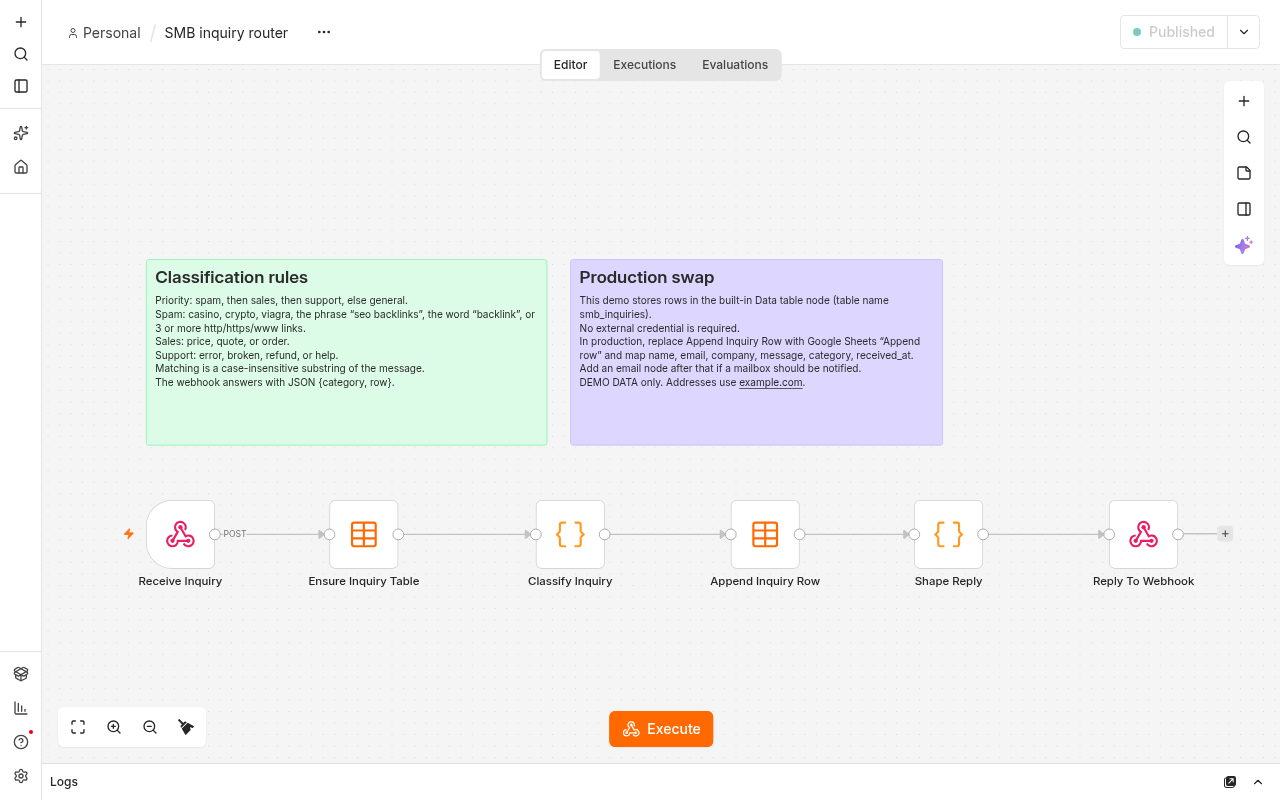
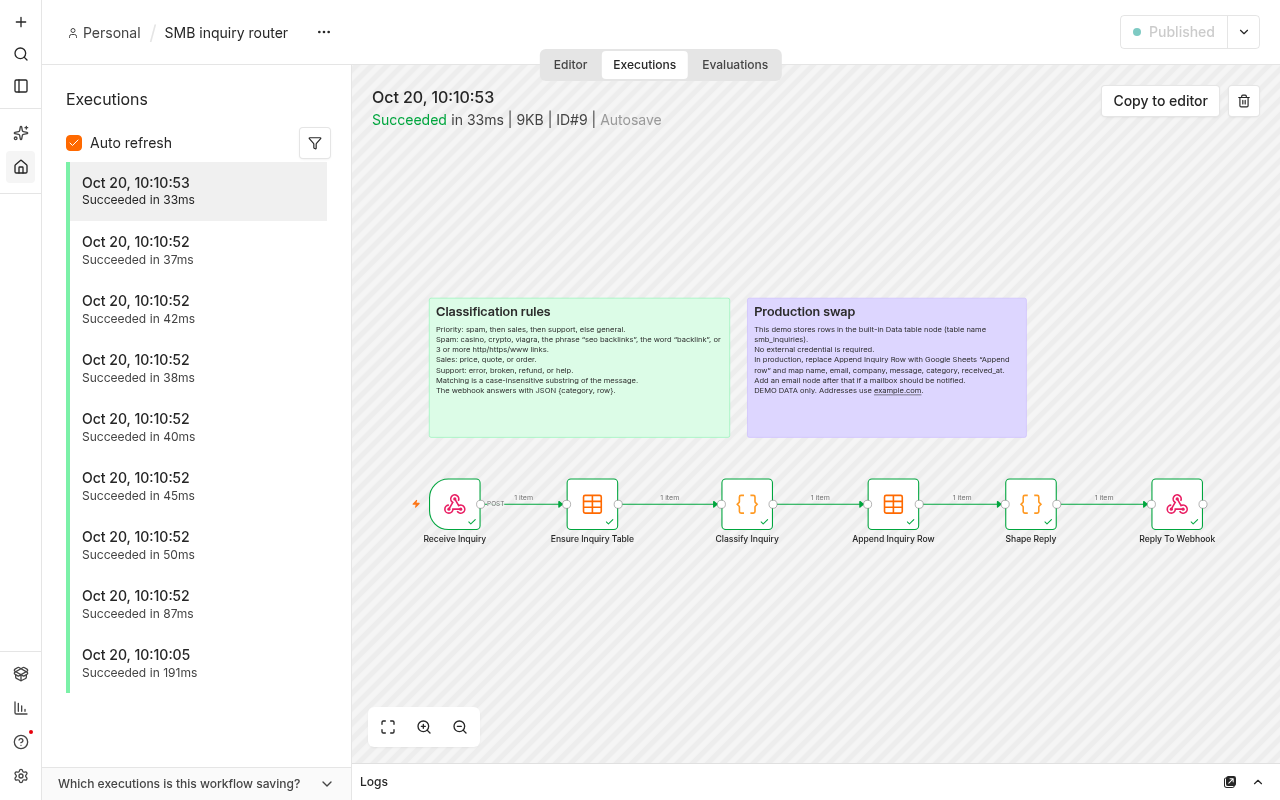
Flow
POST /webhook/smb-inquiry
        |
        v
Ensure Inquiry Table   Data table create, name smb_inquiries, reuse when present
        |
        v
Classify Inquiry       keyword rules below
        |
        v
Append Inquiry Row     Data table insert
        |
        v
Shape Reply            JSON object category and row
        |
        v
Reply To Webhook
Classification rules
The message is lower-cased. The first matching group wins.
- spam — casino, crypto, viagra, the phrase "seo backlinks", the word "backlink", or three or more http, https, or www links.
- sales — price, quote, or order.
- support — error, broken, refund, or help.
- general — anything else.
Matching is a substring, so "errors" counts as support and "quotes" counts as sales. Spam is tested before sales and support.
Screenshots
Results
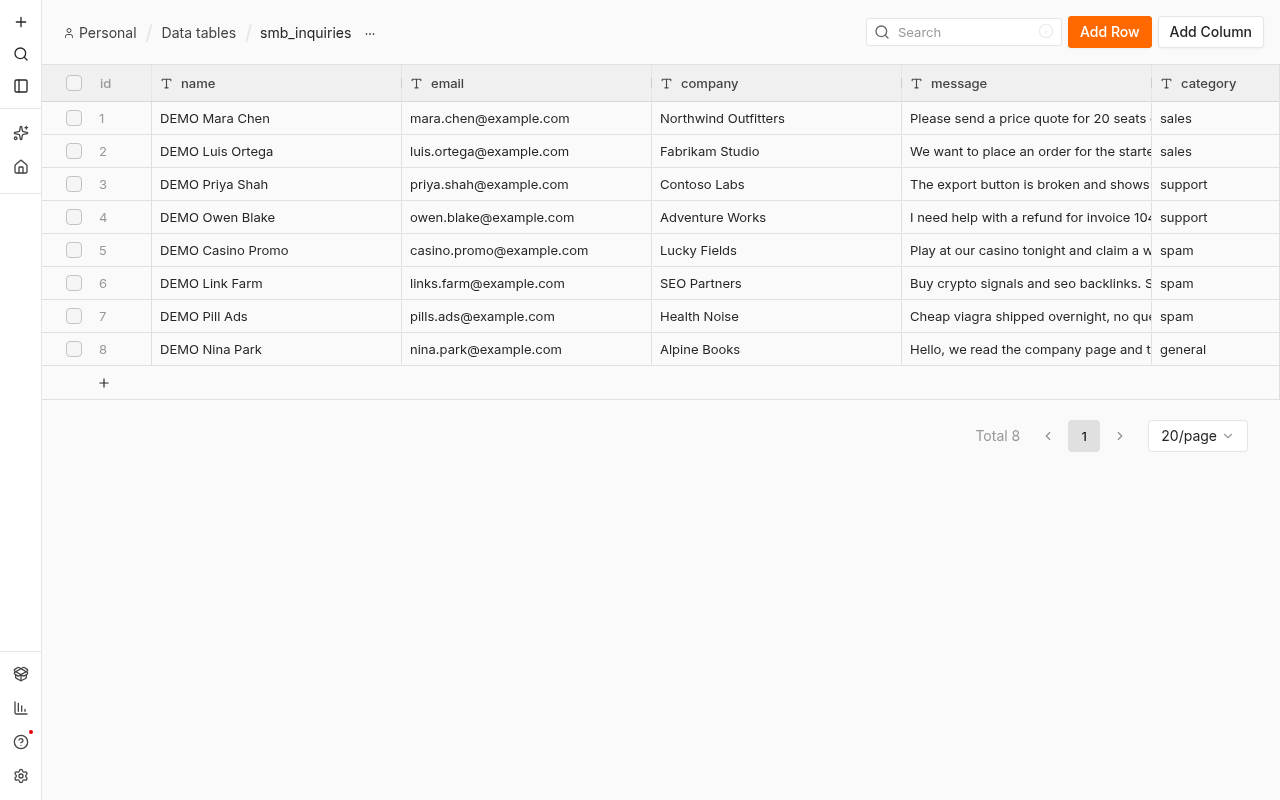
| Name | Company | Message | Category | Received | |
|---|---|---|---|---|---|
| DEMO Mara Chen | [email protected] | Northwind Outfitters | Please send a price quote for 20 seats of the annual plan. | sales | 2026-10-20T02:10:52.563Z |
| DEMO Luis Ortega | [email protected] | Fabrikam Studio | We want to place an order for the starter package this week. | sales | 2026-10-20T02:10:52.649Z |
| DEMO Priya Shah | [email protected] | Contoso Labs | The export button is broken and shows an error after login. | support | 2026-10-20T02:10:52.725Z |
| DEMO Owen Blake | [email protected] | Adventure Works | I need help with a refund for invoice 1042. | support | 2026-10-20T02:10:52.798Z |
| DEMO Casino Promo | [email protected] | Lucky Fields | Play at our casino tonight and claim a welcome bonus. | spam | 2026-10-20T02:10:52.853Z |
| DEMO Link Farm | [email protected] | SEO Partners | Buy crypto signals and seo backlinks. See https://example.com/a https://example.com/b https://example.com/c | spam | 2026-10-20T02:10:52.909Z |
| DEMO Pill Ads | [email protected] | Health Noise | Cheap viagra shipped overnight, no questions asked. | spam | 2026-10-20T02:10:52.968Z |
| DEMO Nina Park | [email protected] | Alpine Books | Hello, we read the company page and the catalog looks clear. | general | 2026-10-20T02:10:53.022Z |
Import
- Use n8n community 2.43.x. This file was imported on 2.43.8.
- Download workflow.json.
- In the workflow list choose Import from File, or run
n8n import:workflow --input=workflow.json. - Publish the workflow. On 2.43 the CLI command is
n8n publish:workflow --id=WORKFLOW_ID. - POST JSON to
/webhook/smb-inquirywith name, email, company, and message. The first call creates the data tablesmb_inquiries.
Swap in Google Sheets or email
The last storage node is the built-in Data table node so the sample runs with no credential. In production, replace Append Inquiry Row with Google Sheets, operation Append row, and map name, email, company, message, category, and received_at. Add a Gmail or SMTP node on that same success path when someone should be notified. Keep Reply To Webhook last so the caller still receives {category, row}.